PDF generator
Create an A4 PDF from the quotation record. Letterhead, logo, GSTIN, line items, tax and totals print in one file the customer can open on phone or desktop.

Powerful tools to grow your business communication.

Stingo Quote Builder turns product, tax and customer details into a ready PDF. Choose Template 1 or Template 2 in CRM, then share the file on WhatsApp or email.
Quote Builder add-on Rs 249 / user / month
These are the same capabilities listed on the pricing card, with how they work in daily sales work.
Create an A4 PDF from the quotation record. Letterhead, logo, GSTIN, line items, tax and totals print in one file the customer can open on phone or desktop.
Edit products, quantity, rate, discount, HSN, tax, validity and terms. The PDF follows the selected template so the commercial content stays consistent.
Send the generated PDF from the quote screen. The customer receives the same document your team approved, with no extra export step.
Switch company profile on the quote. Name, address, GST, bank, QR and footer image change with the letterhead so one CRM can bill for more than one entity.
Pick Template 1 or Template 2 on the quote. Layout changes; customer and product data stay the same.
Convert an accepted quote into a proforma invoice, tax invoice or sales order. Numbering, GST breakup and payment tracking stay on the same record.
CGST, SGST or IGST, taxable value and grand total print with amount in words, matching how Indian buyers expect a commercial PDF.
Account name, IFSC, QR and payment notes come from the company profile so the customer can pay against that quote or invoice.
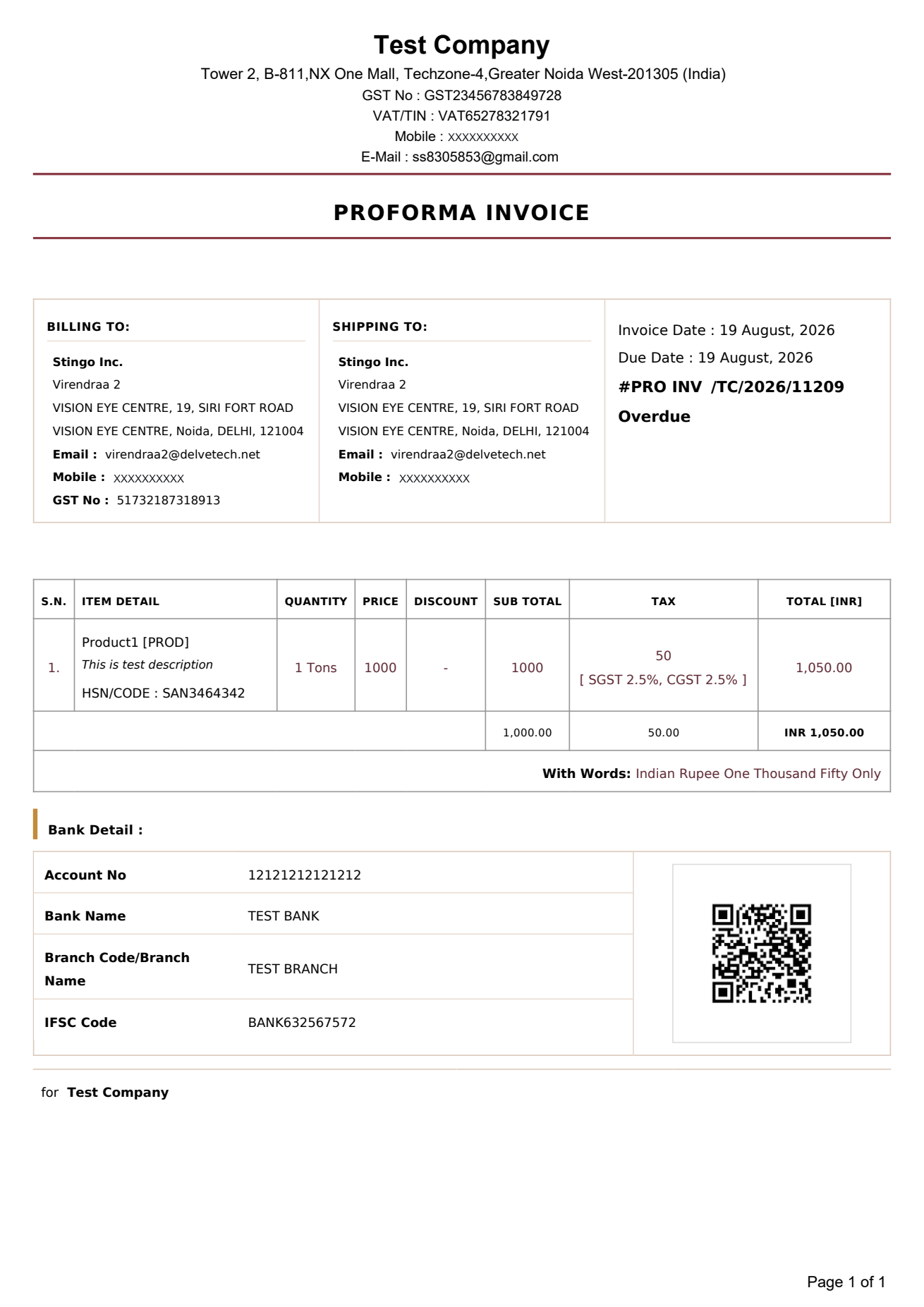
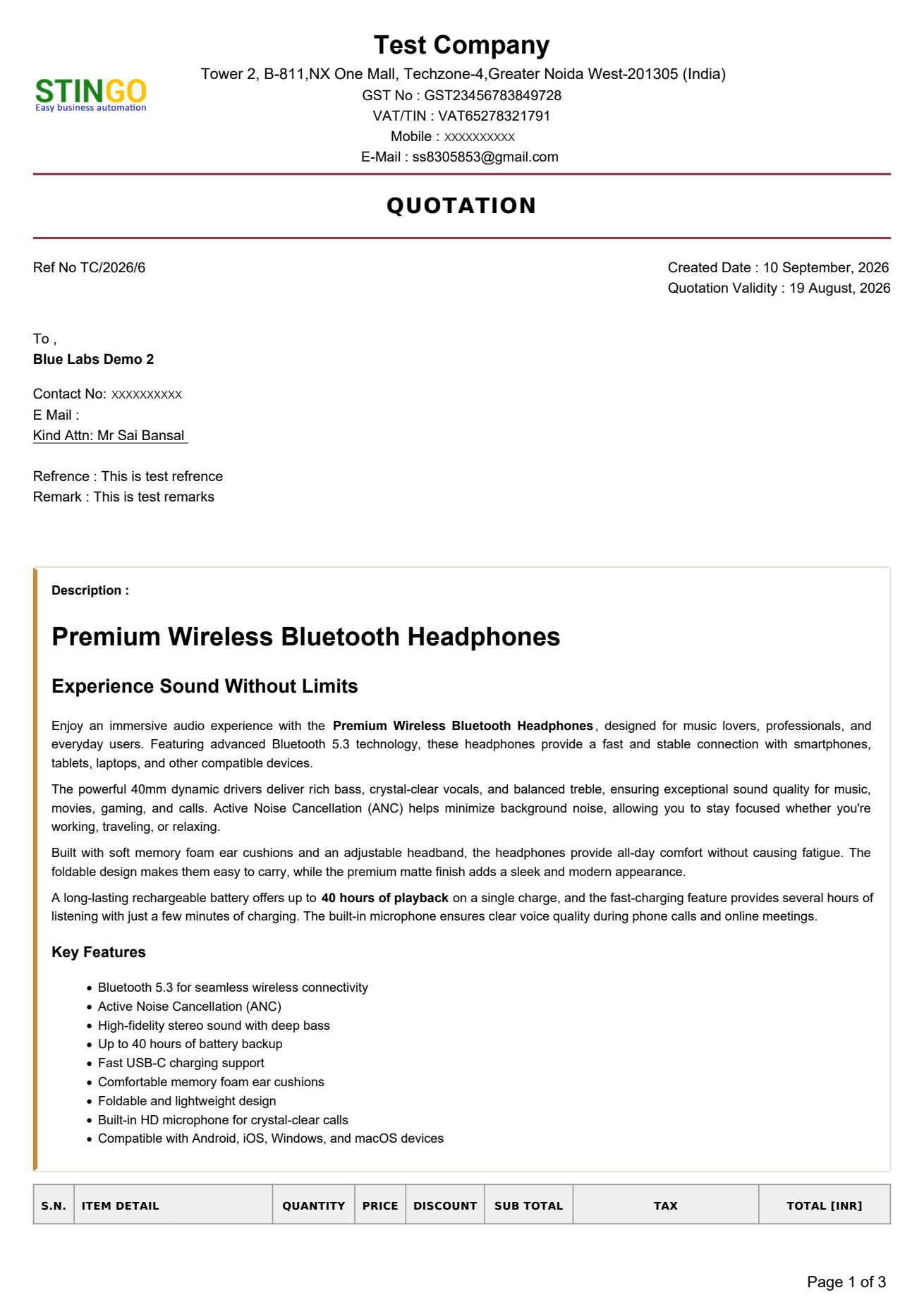
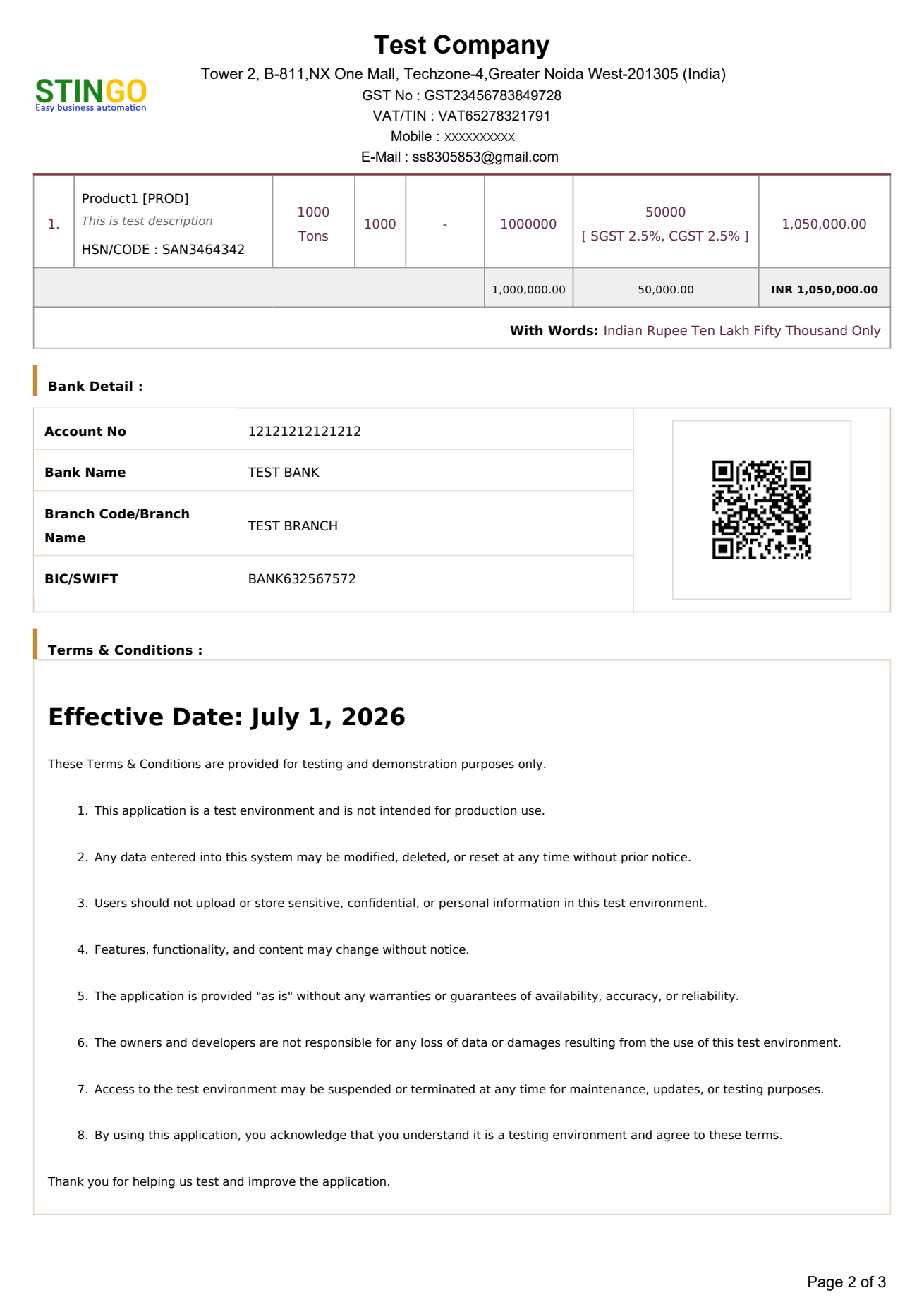
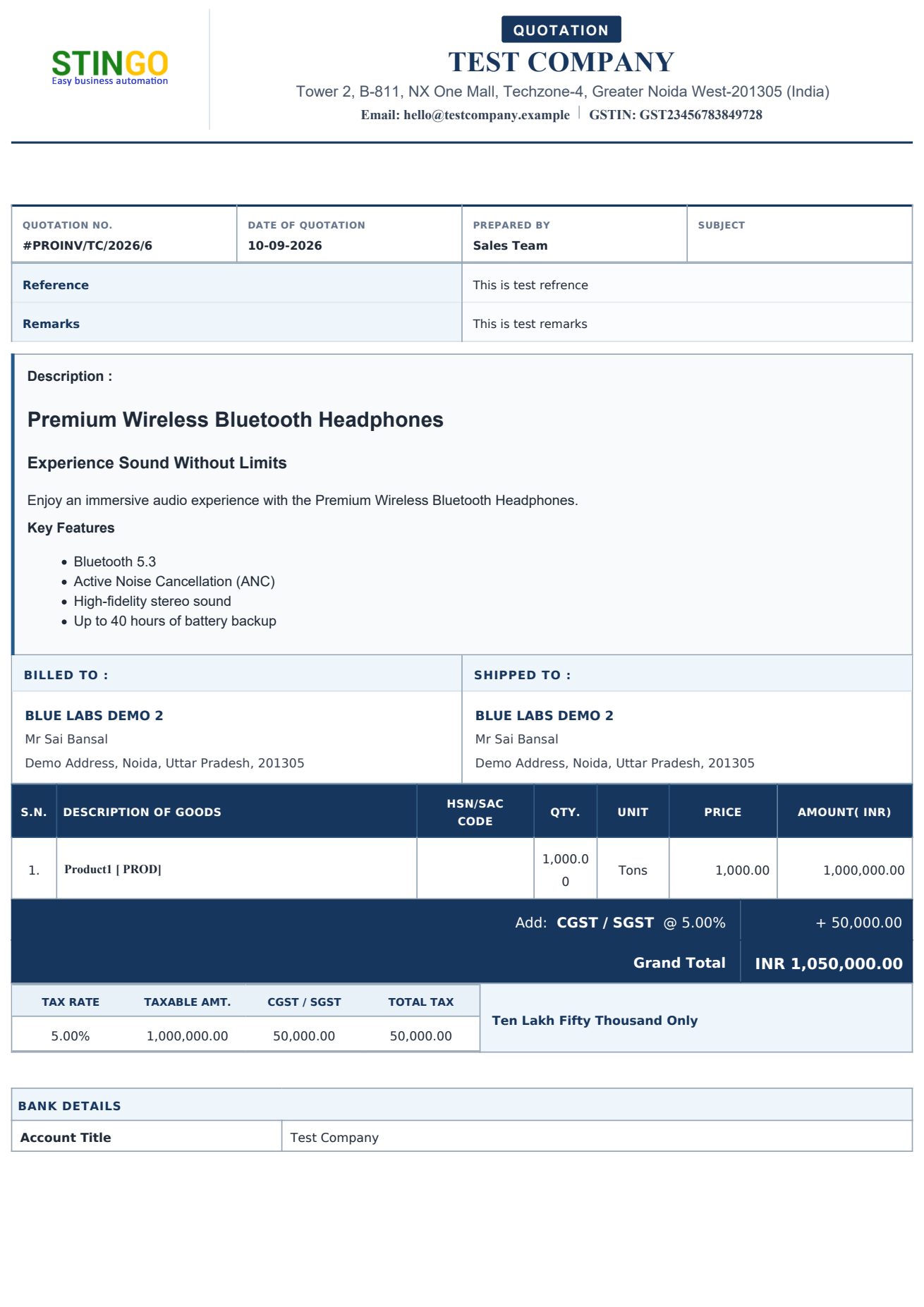
These are original Quote Builder PDFs. The first two samples stay as they are. Template 2 below is the second CRM design (navy layout). Click a page to enlarge.
Single-page commercial PDF. Billing and shipping blocks sit at the top, then item rows with HSN, qty, price, discount, tax and total.
Two-page quotation with product write-up, then items, tax and bank details.
This is the second CRM print design: STINGO header, quotation number row, product description, billed/shipped blocks, navy item table, tax summary, bank details and terms.
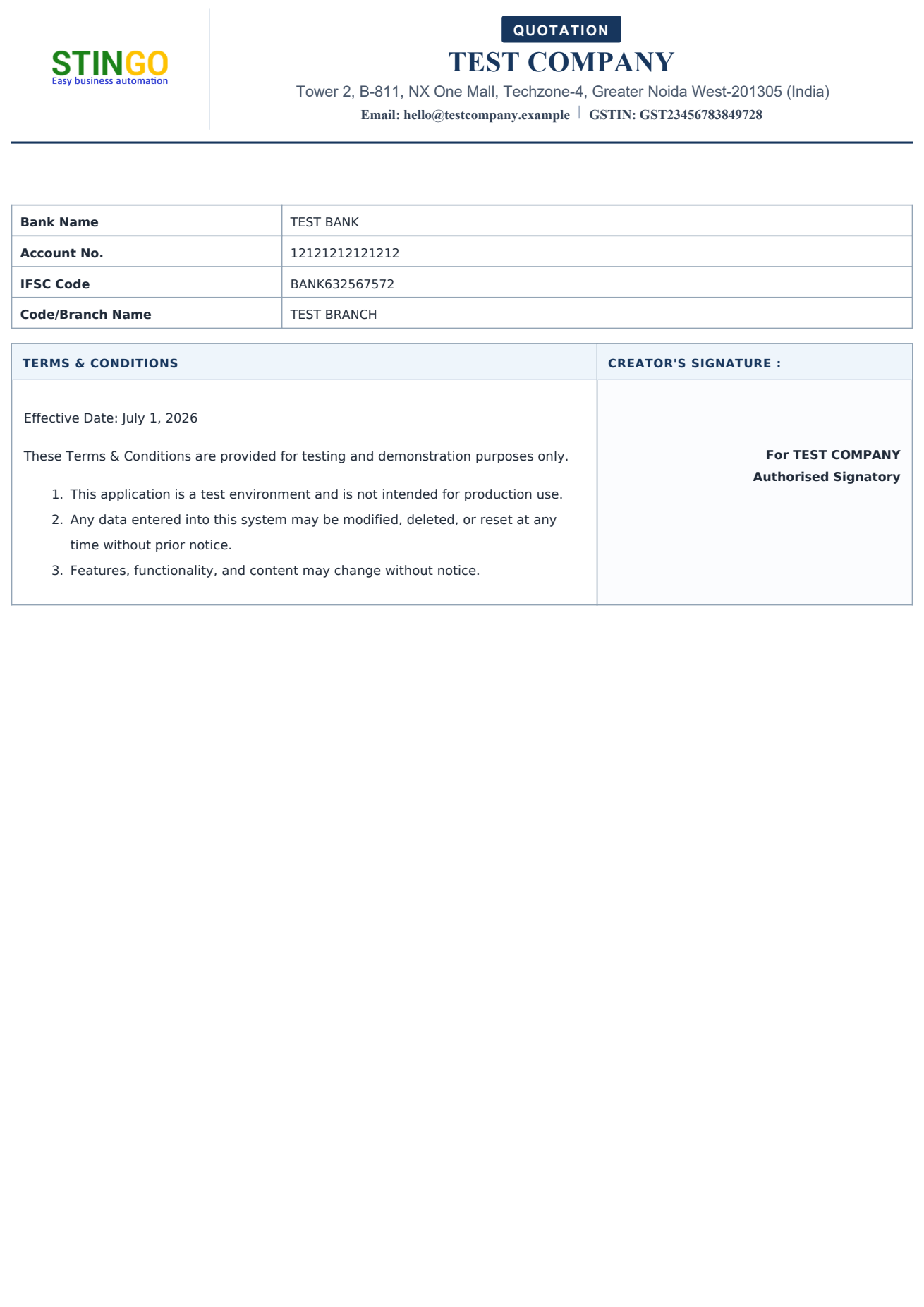
These are the two templates available on the quote screen in CRM.
| Template 1 | Template 2 | |
|---|---|---|
| Pages | Usually one page | Cover + items + terms (3 pages in this demo) |
| Customer block | Billing To and Shipping To | Quotation no., date, prepared by, subject, remarks |
| Product story | Short item description in the table | Full description on page 1 before the table |
| Item columns | Qty, price, discount, tax, total | HSN/SAC, qty, unit, price, amount |
| Units | Quantity only | Product unit (pcs, kg, tons, kit) |
| Payment | Bank details | Bank details plus Scan to Pay QR |
| Terms | On the same sheet | Separate last page |
Select customer, products, tax and company profile inside CRM.
Select Template 1 or Template 2 on the quote. Layout changes, customer and items stay.
Logo, GST, totals and terms render on the selected A4 layout.
WhatsApp or email the file, then convert to PI or invoice when accepted.
It is an add-on at Rs 249 per user per month. Open a demo if you want it bundled with Lead, Desk or a larger plan.
Yes. Multi-template means you pick the layout per document. Multi-company means the letterhead and GST details can change with the selected profile.
Yes. The images are pages from PDFs generated inside Stingo Quote Builder: Template 1 and Template 2. Your company logo, GSTIN and line items replace this sample data after setup.
Letterhead, bank/QR, company profiles, product units (Template 2) and terms are configured in CRM. The print layout follows the selected template.
Bring a sample item list, GSTIN and the template you prefer. We will generate a PDF in the demo and share it the same way your sales team would.
Request a Demo